
Barcode(QRCode) Server Stock1.10 - Google Play
You'll be able to see results in few seconds.
Publisher Description
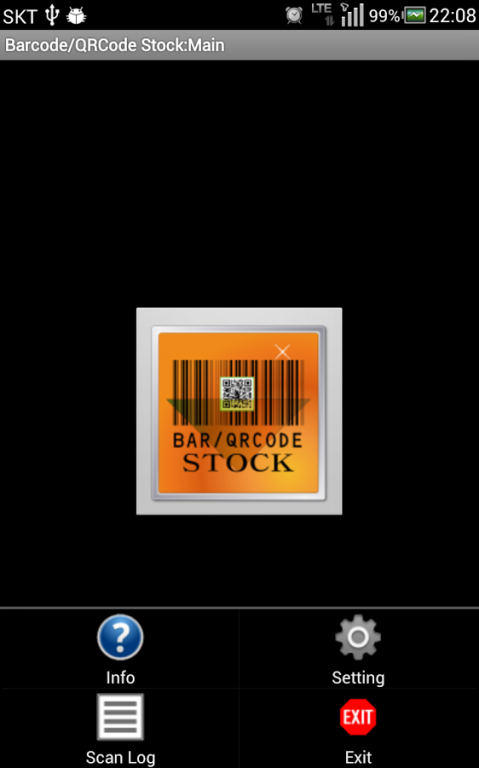

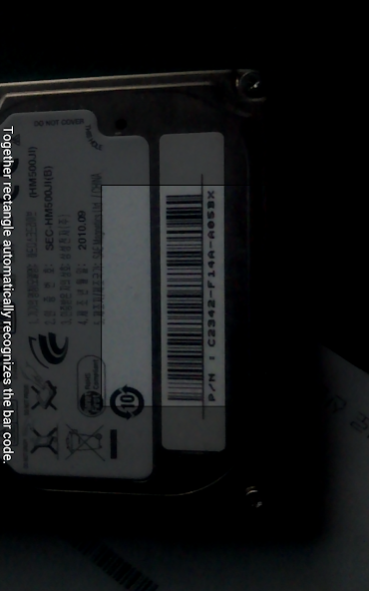
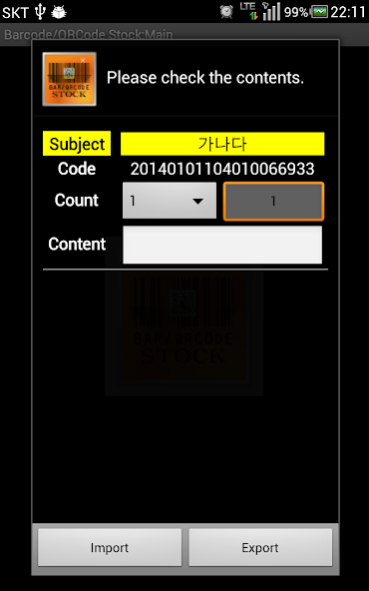
Barcode(QRCode) Server Stock
This program is
And, in the web server,
Android phone to use the bar code scanner,
Import, Export work for users who want to process.
Usage is as follows:
Product information from the user's terminal to check the program.
The value of the barcode is sent to the server , check the name , and the server sends a dressed up or shipped .
Therefore, to use the related features , use the server must contain the relevant function .
Information processing results are stored in the user's terminal , CSV file is converted to the e-mail can be sent as an attachment .
Information about treatment outcomes Menu - > Scan can be found in the record .
Applications of the program , including a set of identification tags on the bar code is recognized by the bar code ,
Using the data on the server , the server transmits contents such as a factory , wearing of the program ,
Tickets issued , refund, dressed in inventory management , factory , etc. , you can use the application in multiple environments .
Note down the value of the transfer application , please
* Sound: Complete Scan - recognition is complete, the sound will be played.
* Sound: processing error - dressed , the return value is zero, the factory will play a sound ( to a value other than 0 is the sound does not play . )
* Subject Address : ex) http://www.mydomain.com/check.php?
* Subject parameters : ex) part=1&group=2&
* Subject Check: Server parameter
- In the case of the example
- After the barcode recognition ,
- Barcode formats : CODE_128
- Barcode recognition result is : 1234567
- The user's phone number : 01012345678
- Your e-mail address : aaaa@gmail.com if
-
- The transmission of this time , UTF-8 format transmitted,
- The server that handles the file (ex: check.php) , the server , depending on the environment , character set , enter the conformity arrangements.
- The processing of the file that the server address (ex: check.php) from , and returns the result can be processed ,
- If the batch file (ex: check.php) does not contain HTML tags such as .
- If the batch file (ex: check.php) For example: a .
// check.php
$value = " AAA";
header ("Content-type: text / html; charset = utf-8");
echo $value;
?>
* Import/Export : Server Parameter
- Barcode formats : CODE_128
- Barcode recognition result is : 1234567
- The user's phone number : 01012345678
- Your e-mail address : aaaa@gmail.com
- Import ( import : 1, export : 2)
- Qty: 4
- Processing address : ex) http://www.mydomain.com/check_result.php?
- Processing parameters : ex) part=1&group=2&
-
- The transmission of this time , UTF-8 format transmitted,
- The server that handles the file (ex: check_result.php) , the server , depending on the environment , character set , enter the conformity arrangements.
- If a processing error when processing file 0, treatment success, returns a non-zero value .
- If the batch file (ex: check_result.php) does not contain HTML tags such as .
- If the batch file (ex: check_result.php) For example: a .
/ / check_result.php
$value = "1" ;/ / Processing OK
header ("Content-type: text / html; charset = utf-8");
echo $value;
?>
About Barcode(QRCode) Server Stock
The company that develops Barcode(QRCode) Server Stock is AI소프트. The latest version released by its developer is 1.10.
To install Barcode(QRCode) Server Stock on your Android device, just click the green Continue To App button above to start the installation process. The app is listed on our website since 2014-01-15 and was downloaded 0 times. We have already checked if the download link is safe, however for your own protection we recommend that you scan the downloaded app with your antivirus. Your antivirus may detect the Barcode(QRCode) Server Stock as malware as malware if the download link to com.aicrm.barcode_qrcode_stock is broken.
How to install Barcode(QRCode) Server Stock on your Android device:
- Click on the Continue To App button on our website. This will redirect you to Google Play.
- Once the Barcode(QRCode) Server Stock is shown in the Google Play listing of your Android device, you can start its download and installation. Tap on the Install button located below the search bar and to the right of the app icon.
- A pop-up window with the permissions required by Barcode(QRCode) Server Stock will be shown. Click on Accept to continue the process.
- Barcode(QRCode) Server Stock will be downloaded onto your device, displaying a progress. Once the download completes, the installation will start and you'll get a notification after the installation is finished.
Program Details
System requirements
Download information
Pricing
Version History
version 1.10
posted on 2014-01-15
Disclaimer
Official Google Play Link
We do not host Barcode(QRCode) Server Stock on our servers. We did not scan it for viruses, adware, spyware or other type of malware. This app is hosted by Google and passed their terms and conditions to be listed there. We recommend caution when installing it.
The Google Play link for Barcode(QRCode) Server Stock is provided to you by apps112.com without any warranties, representations or guarantees of any kind, so access it at your own risk.
If you have questions regarding this particular app contact the publisher directly. For questions about the functionalities of apps112.com contact us.
